![3_BellwetherLogo-2.png]](https://help.bellwethercoffee.com/hs-fs/hubfs/3_BellwetherLogo-2.png?height=40&name=3_BellwetherLogo-2.png)
 Tools Required:
- Metric allen key set (incl. 2mm, 3mm, 4mm, 5mm)
- Philips #1 Screwdriver
Parts Required:
| Quantity | Part Number | Part Name |
| 1 | 990-00299 | ASSY, LOAD CELL, AUTOLOAD, SR1 |
| 8 | 457-00535 | WASHER, 1/4 ID X 1 OD X .080 THK, 316 SS |
Process:
- Remove the lid and the left and right side panels of the Autoloader.
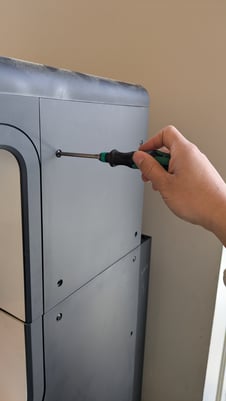
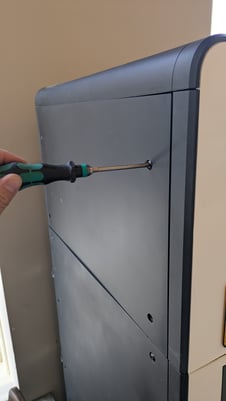
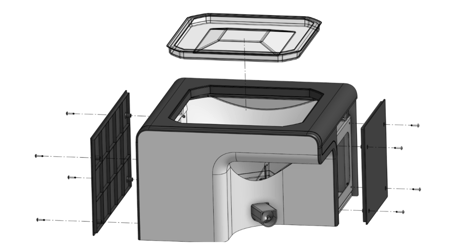
- Remove the 4 screws (two under the left side panel, 1 under the right side panel, 1 above the copper hopper). Remove the lid of the Autoloader.
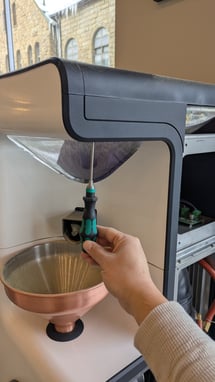
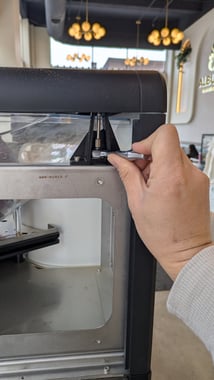
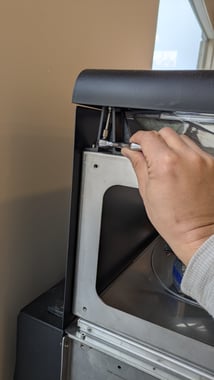
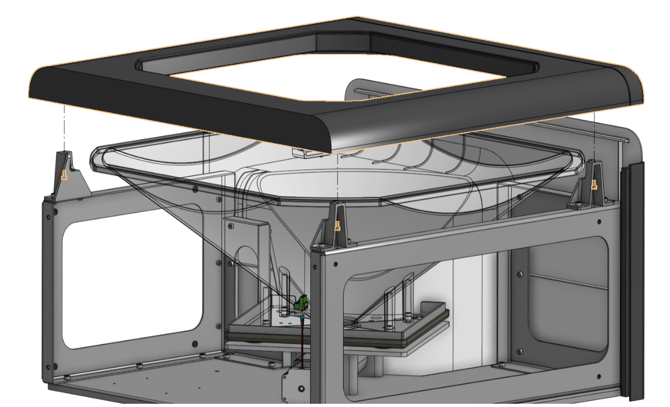
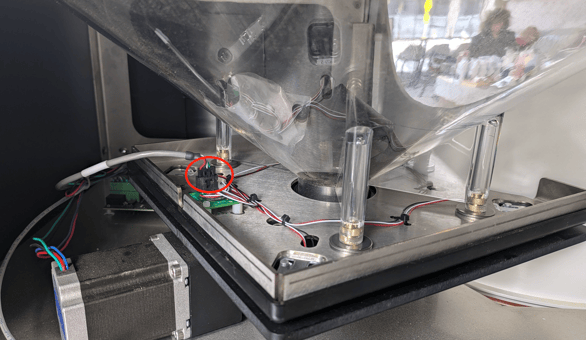
- Disconnect the connector (circled in red below) from the Combinator Board on the Load Cell Plate by pressing the small lever on the connector and pulling it from the board.
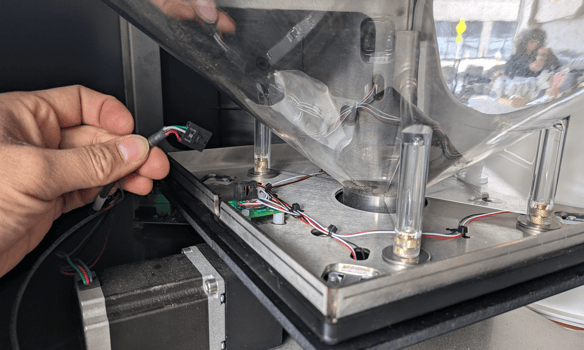
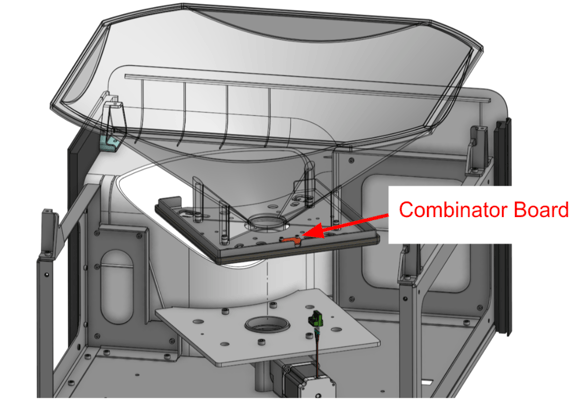
- Lift the entire clear Autoload Hopper w/ attached Load Cell Plate out of the roaster. Flip it upside down and place on a work surface.
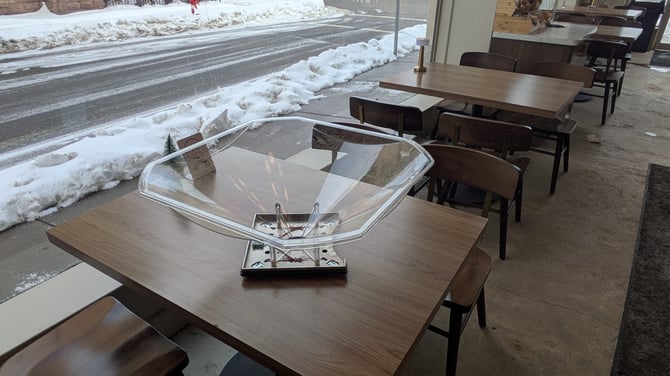
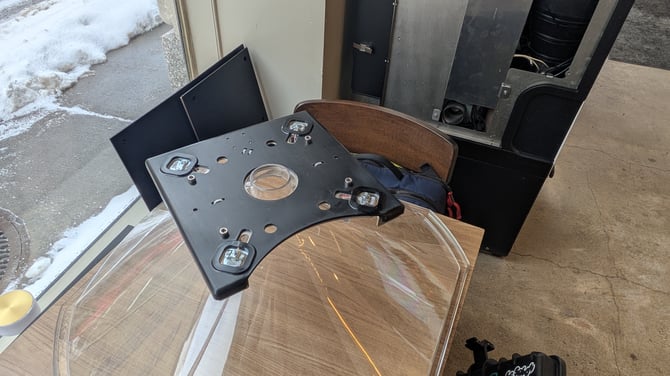
- Remove the 4 screws securing the Load Cell Plate to the clear plastic hopper (circled in blue below). Carefully remove the Load Cell Plate from the clear hopper.
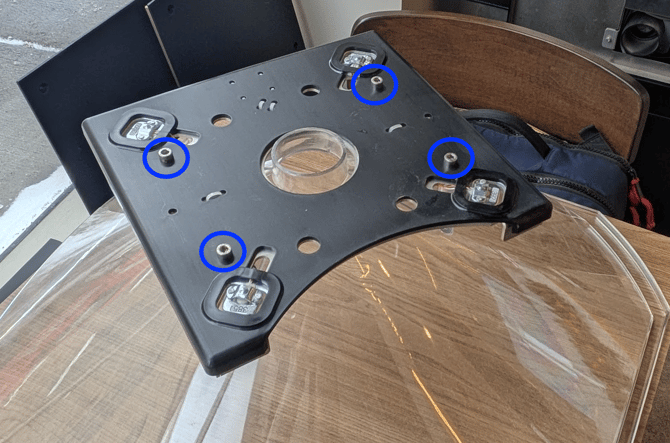
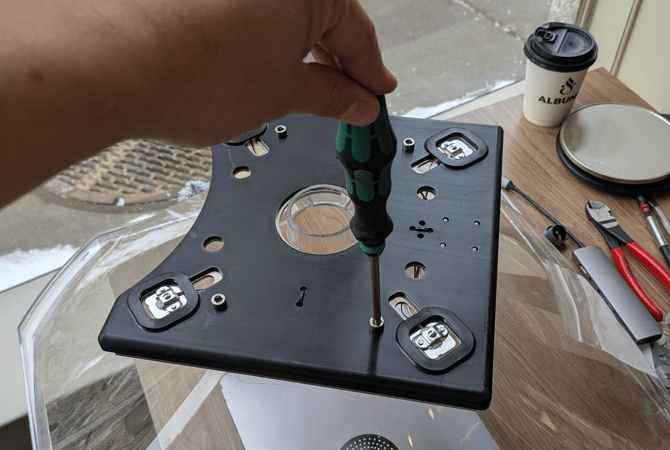
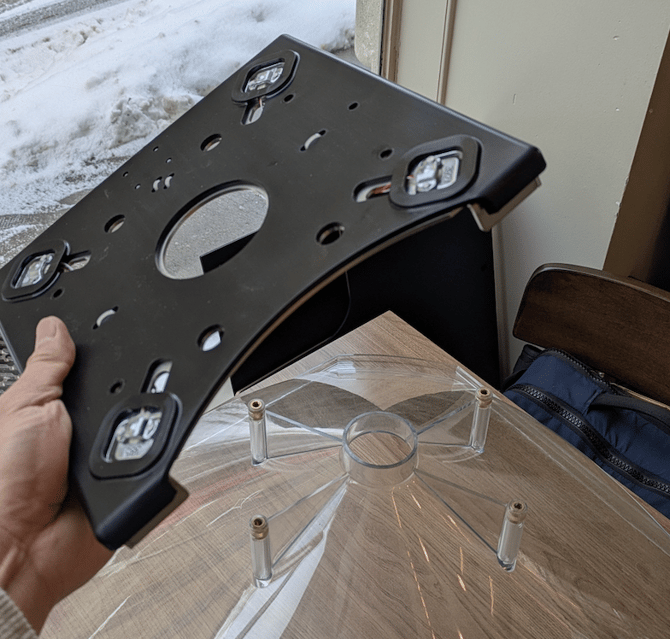
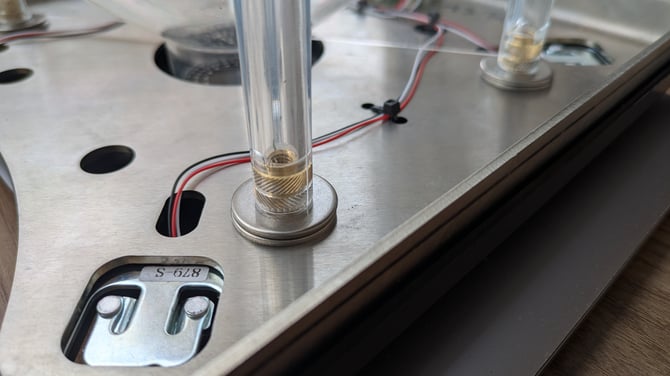
- If not already present, place 2 washers on each of the four screw mounting posts as shown below.
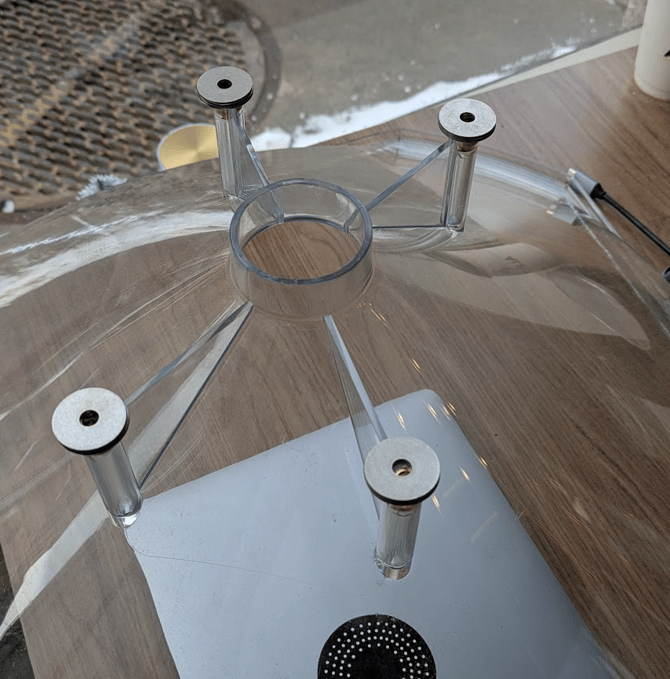
- Place the new Load Cell Plate on top of the washers and confirm none of the wires are pinched by the washers before tightening down. It should look like the below when reinverting to the correct orientation.
- Follow the steps backward to reassemble: place load cell plate, mount the 4 screws securing the plate to the clear hopper, place the hopper back into the Autoload cabinet, reconnect the Molex connector, reattach the lid.
- Re-calibrate the Autoloader (LINK) and test.