![3_BellwetherLogo-2.png]](https://help.bellwethercoffee.com/hs-fs/hubfs/3_BellwetherLogo-2.png?height=40&name=3_BellwetherLogo-2.png)
Tools Required :
- 4mm Allen wrench
- needle nose pliers
- Linesmen pliers
Process :
1. Power down and unplug the roaster
2. Open the Roasting Drum by following the guide linked HERE. Remove the cover by rotating it counter clockwise. Once removed the screws will be exposed. Loosen the six recessed allen screws around the edge of the glass door. These screws will remain captured by the safety glass. Maintain a hold on the glass as you loosen the screws, it will fall if not held up.
4. Look into the drum of the roaster, along the left hand side there will be a screen.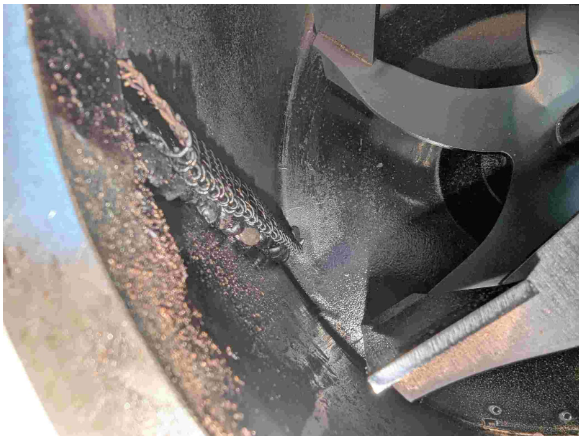
5. Remove the screen. You can use a 90 degree pick or any other narrow tool to pull the screen downward and out.
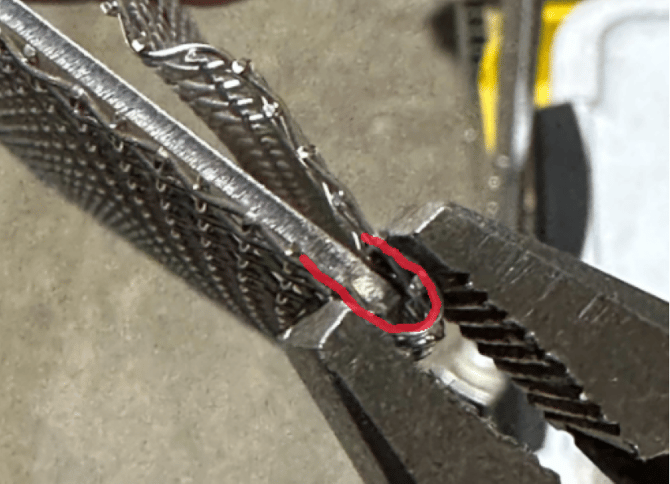
6. Using the linesmen pliers gently pinch the tip of the V to create a sharper point. This will allow the screen to sit closer to the drum of the roaster.
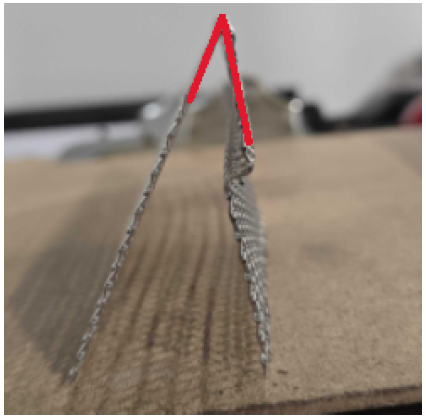
7. Gently bend the screen into a V
8. Reinsert the screen into the drum until it "snaps" into place
9. Reinstall the glass and plastic ring